Arrakis
Arrakis DARC-Virt 12 Bundle
Arrakis DARC-Virt 12 Bundle
Couldn't load pickup availability
Arrakis DARC-Virt 12 Bundle
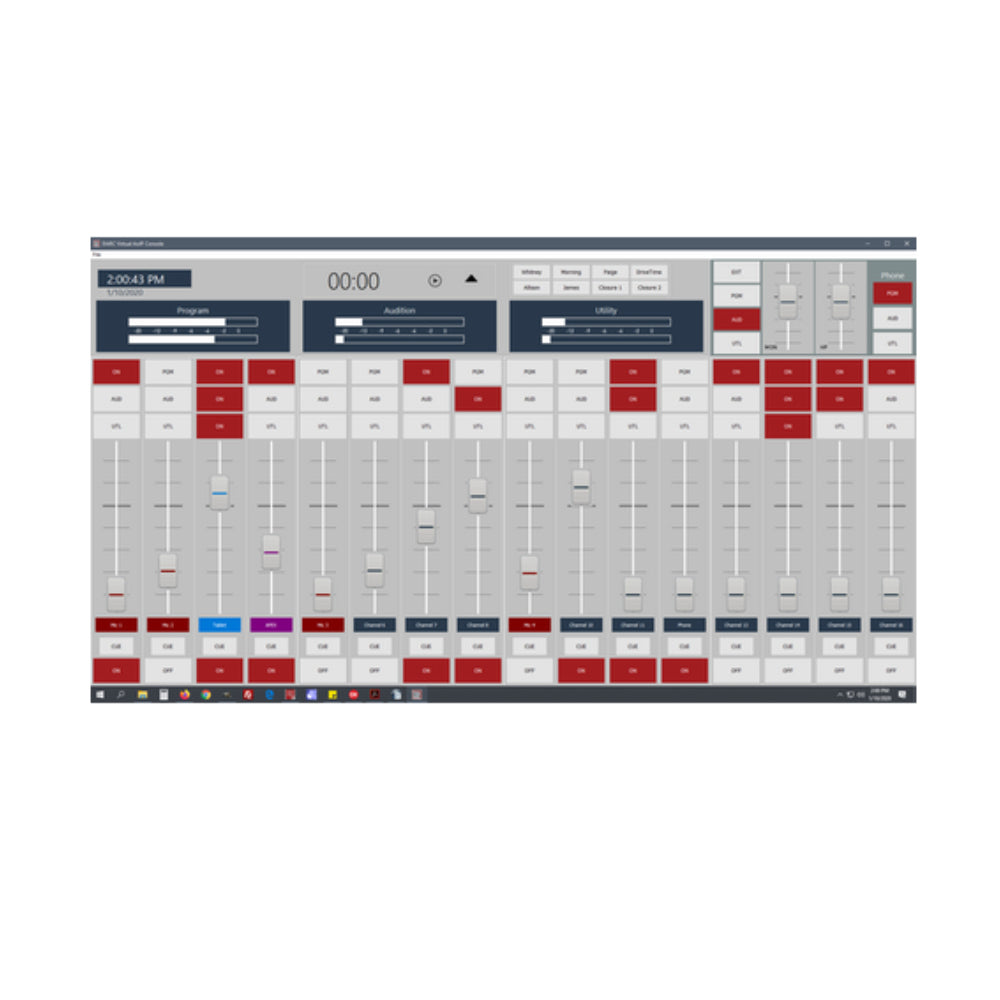
What This Arrakis DARC-Virt 12 Bundle Actually Is This bundle gives you a complete 12-channel software console built around Arrakis's DARC Virtual platform, paired with three Simple IP 8 nodes to handle your actual audio connections. Rather than a physical fader surface, this is a purely software-based mixing console running on your own Windows PC, capable of working either through a Dante AoIP network or with an affordable off-the-shelf ASIO soundcard depending on how you'd rather connect your audio. DARC Virtual is built to be everything you need in a mixing console, whether you're setting up a small on-air studio, a production room, or a podcast setup, and it's designed to grow with you rather than lock you into a fixed configuration. This particular bundle does not include a PC, so you'll need to supply your own computer capable of running the software. With three Simple IP 8 nodes included, either analog or digital variants, you're getting a solid amount of connectivity right out of the gate without needing any physical console hardware at all. How DARC Virtual 4.1 Handles Your Studio's Mix This bundle ships with DARC Virtual 4.1, the latest version in the DARC Virtual AoIP and software console series, bringing a handful of meaningful updates over earlier releases. Dynamic source switching lets you connect up to 64 input sources total, giving you plenty of room to route in mics, line sources, phone hybrids, and automation without running out of channels. The software supports 8 phone mix-minus buses, letting you connect up to eight separate phone hybrids for call-in segments or remote guests without feedback issues. Single-channel playback lets podcasters stream and record individual channels post-fader, which is genuinely useful when you want to edit one person's audio separately from the finished mix later. With 10-point multi-touch support, you can control multiple faders at once if you're running the software on a touchscreen, and advanced user presets let you switch an entire show's layout in one action rather than resetting channels manually. Soft keys round things out, giving you quick access to closures, presets, and other frequently used functions without digging through menus. Why This Console Runs as Software Instead of Physical Hardware Since DARC Virtual is a software console rather than a hardware board, everything happens inside the program running on your PC, with your Dante network or ASIO interface handling the actual audio connections. This approach keeps costs down since you're not paying for a physical fader surface, while still giving you full control over routing, levels, and channel assignment through the software interface. You can run DARC Virtual as a completely standalone unit or as part of a larger AoIP network spanning multiple studios, and it's built to control any Dante-enabled device on your network, whether that's a source connected through one of your Simple IP nodes or another Dante device entirely, such as a Dante AVIO adapter. Each channel can be labeled, color-coded, and saved into a user profile, so switching between different shows becomes a matter of loading a saved configuration instead of manually resetting everything by hand. What the Three Simple IP 8 Nodes Add to Your Setup Each included Simple IP 8 node handles 8 mono inputs and 8 mono outputs, or 4 stereo in and out, and with three nodes combined you get a meaningful pool of I/O to work with across your studio. They're available in either analog or digital variants, letting you match the node type to whatever gear you're connecting, whether that's traditional analog equipment or sources already living on a digital network. Each node connects using standard RJ45 cabling instead of punch blocks or long analog snake runs, keeping installation quick even as your setup grows. Every node runs on its own external power supply too, so an issue with one doesn't take down the others or your console. Having three nodes from the start also means you can distribute connections across different physical points in your studio rather than routing everything back to one central location, which is especially useful if your gear is spread across more than one room. Why the PC Isn't Included and What You'll Need to Provide Since this bundle doesn't include a computer, you'll want a PC with enough processing power and RAM to comfortably run DARC Virtual, especially given the 64-input capacity this software is built to handle. This arrangement suits stations or studios that already have suitable computer hardware in place, or that have specific IT standards they'd rather match than replace with new equipment. It also keeps the overall cost down for buyers who don't need computer hardware bundled in at a markup. Once your PC is ready, setup mainly involves installing DARC Virtual, connecting your three Simple IP nodes to the network, and letting the software detect your available sources automatically through Dante Controller. Who This Console Bundle Is Best Suited For This bundle is a strong fit for stations, podcast studios, or production rooms that want a full 12-channel mixing console without paying for physical fader hardware they may not need. It works particularly well for setups already running touchscreen-capable computers, since DARC Virtual's multi-touch support turns the software into something closer to a hands-on physical console. Because three nodes are included rather than just one or two, this bundle also suits studios with equipment spread across more than one location, or facilities anticipating a fairly high channel count from the outset. Podcasters recording multiple hosts or guests will get real value from the single-channel, post-fader recording feature, cutting down on post-production work syncing separate tracks. Overall, this is built for buyers who want serious console functionality and real connectivity without the added cost of physical console hardware.
Share